Audit and Mockup
Shawn came to me about his website. I audited it across eight areas, from booking and reviews to Google rankings and what AI tools said about him, and sent a home page mockup with it.
Shawn Ribble runs Silent Lights, a Christmas and permanent lighting company in Pensacola, Florida. His website was a five-page GoDaddy builder site that ranked on page 3 of Google, and its Book Now button opened an email. I audited it, then designed, wrote, built and launched a new WordPress site before peak booking season. The deadline was October 31. It went live October 30.
Edward took my existing website, critiqued it in an easy to read report. As he built out the new site, we were informed the whole time. His tools to keep everything moving forward made the transition a breeze! He did excellent, timely work.
 Shawn RibbleOwner, Silent Lights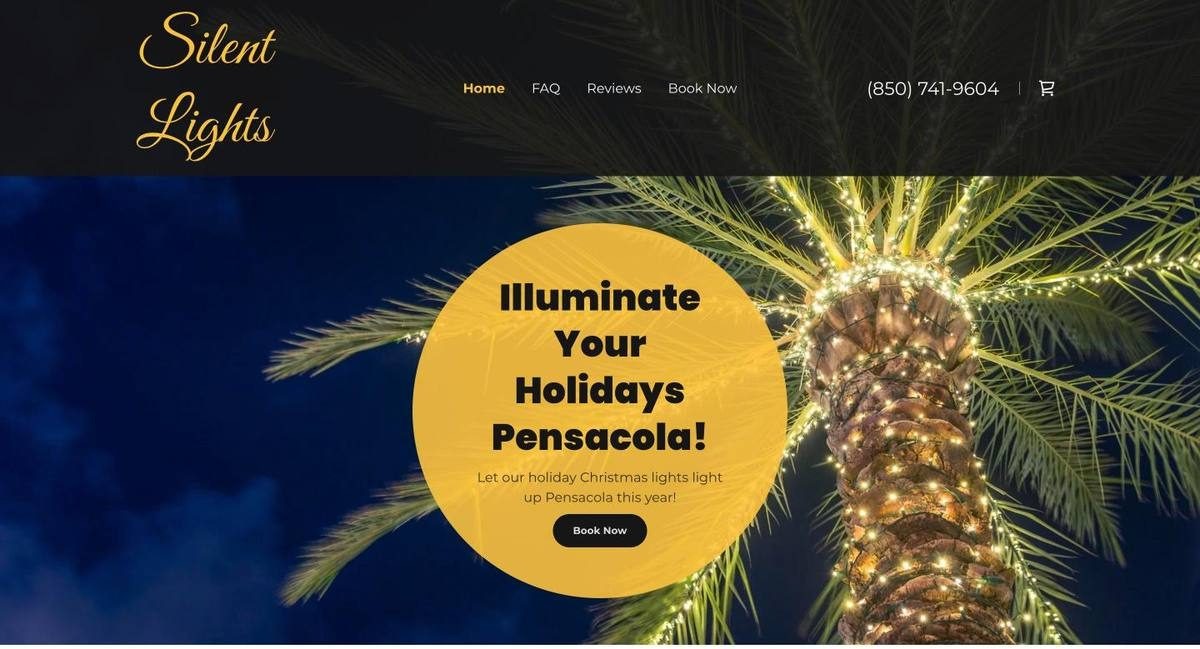
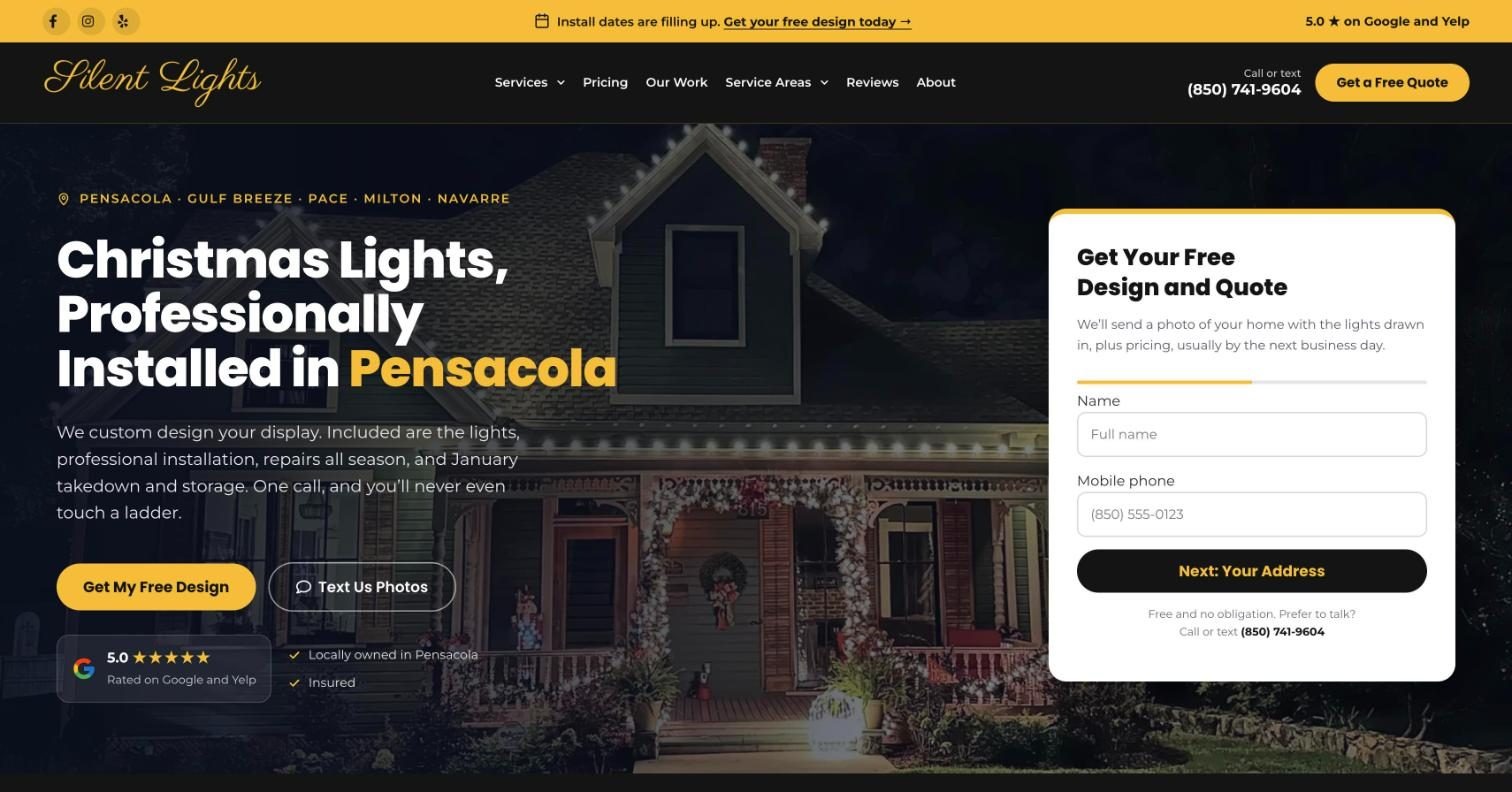
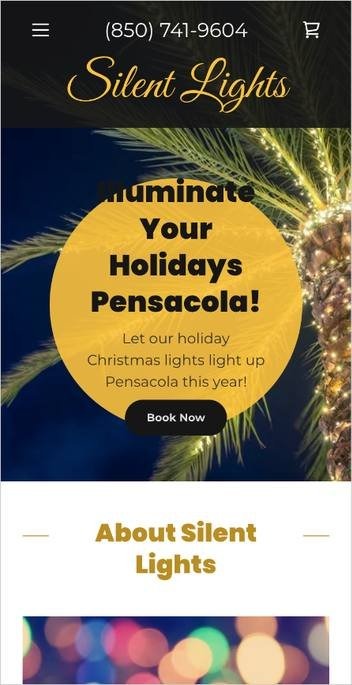
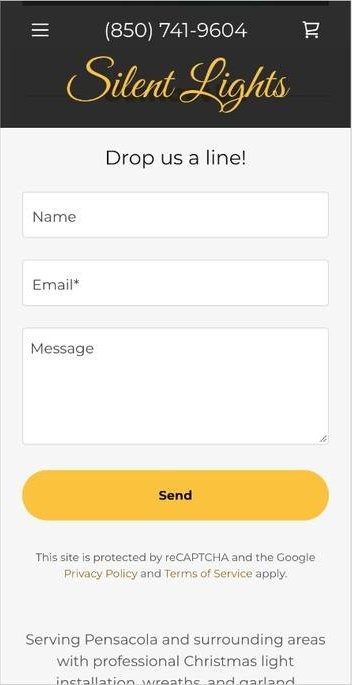
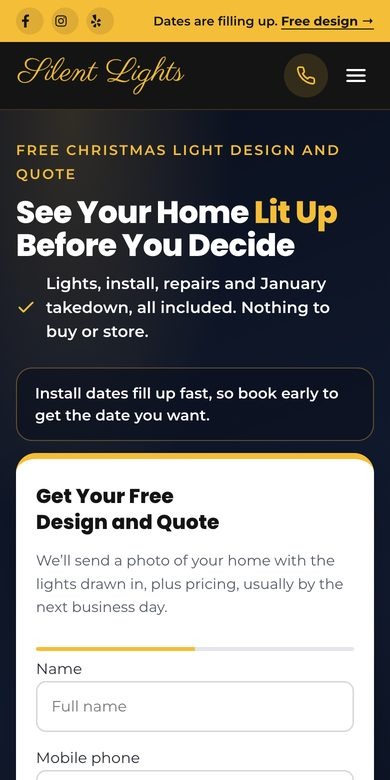
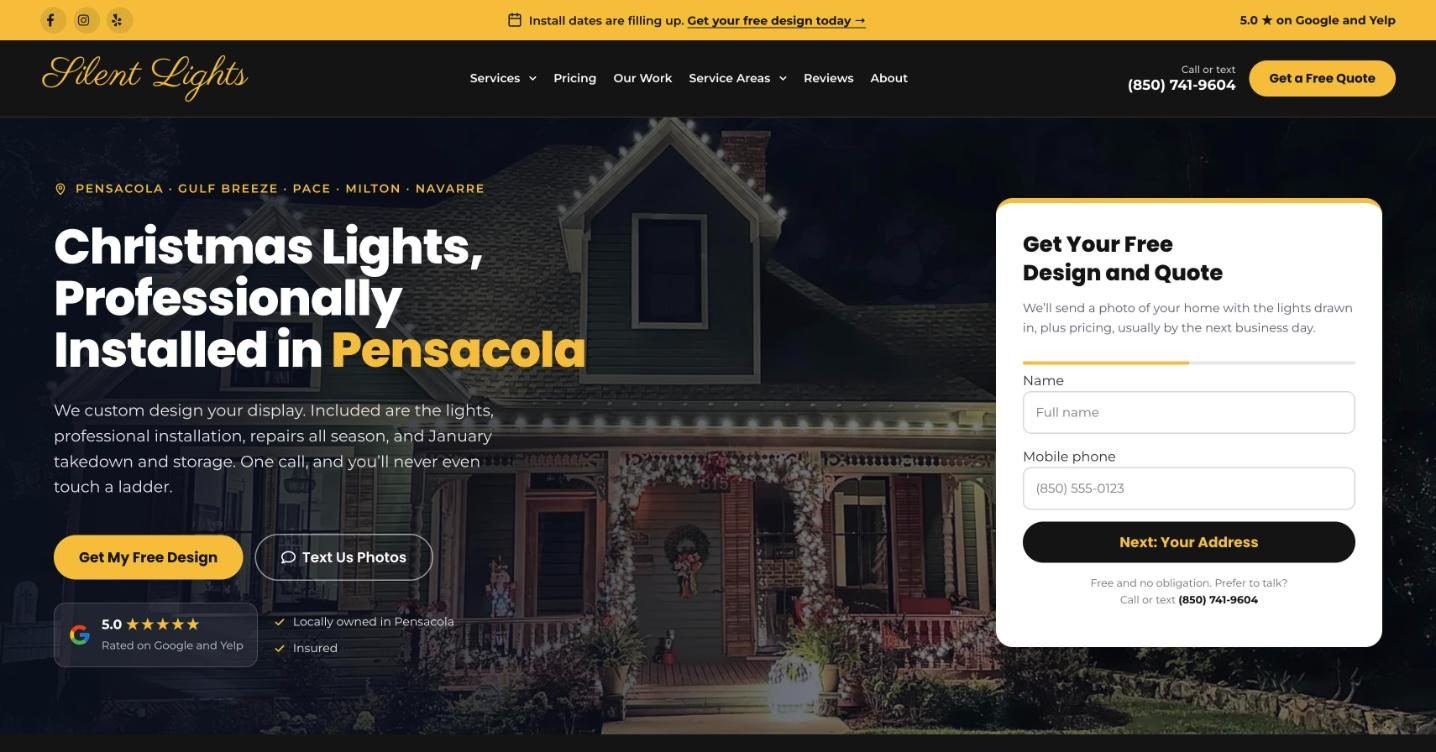
A conversion is a visitor taking the step you want. On this site, that step is asking for a free design. I designed every page around it and made three kinds of changes:
 1
2
3
4
5
6
1
2
3
4
5
6
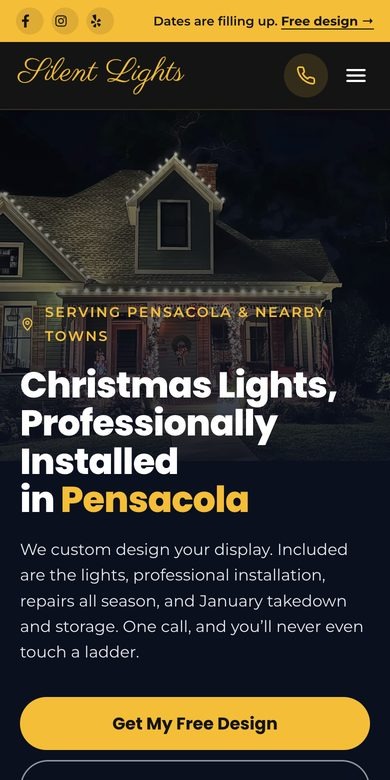
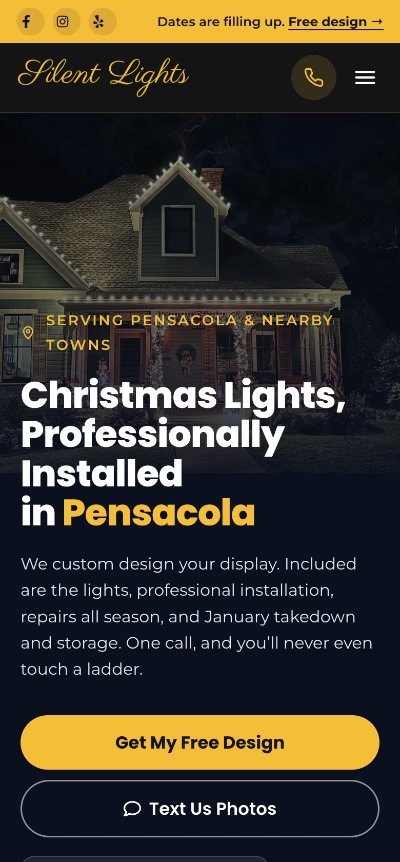
Most people look up a lighting company on their phone, often after seeing lights on a neighbor’s house. On a phone, the steps are the same, but I changed the layout:
 1
2
3
4
1
2
3
4
Every question you ask before someone hits send is a chance for them to quit. Asking only for a name and phone number first means Shawn can call back even if the rest of the form never gets filled in.
My audit on October 6 found these booking problems. Here is what I changed:
| What the audit found | What I changed |
|---|---|
| Book Now opened an email, and on many phones it did nothing | A quote form on the first screen of every page |
| The form asked only for a name and email, so every quote started with back-and-forth | Three forms that ask what Shawn needs to price the job, with an optional photo |
| No way to text | Call or text in the header and a Text Us Photos button on every page |
| No idea of price | Starting prices on the home page and a full pricing page |
| No booking deadline | A bar on every page saying install dates are filling up |
| Stock photos at the top of the page | His own install photos, starting with the first screen |
| One review, on a page where the menu covered the title | His rating next to the main buttons, and a reviews page |
| A shopping cart icon, though nothing is sold online | Removed |
Step two of each form asks what Shawn needs to price that job: how tall the home is, what kind of property it is, or how long the dock is.
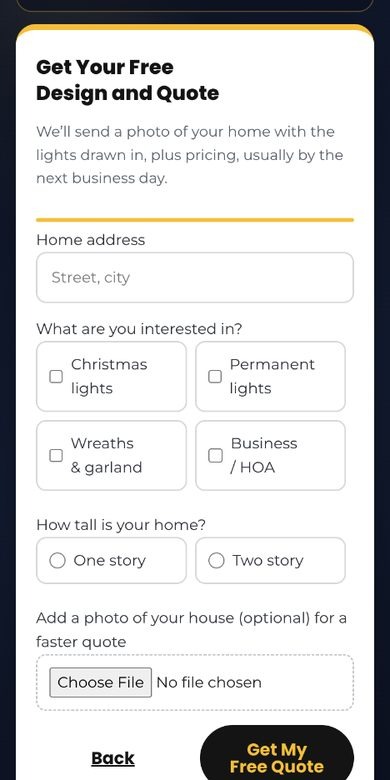
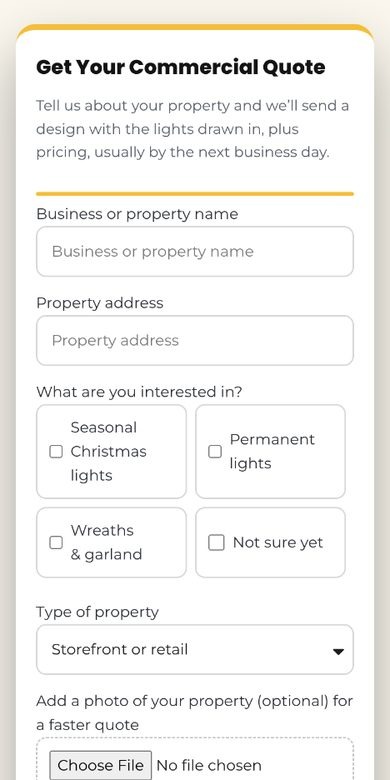
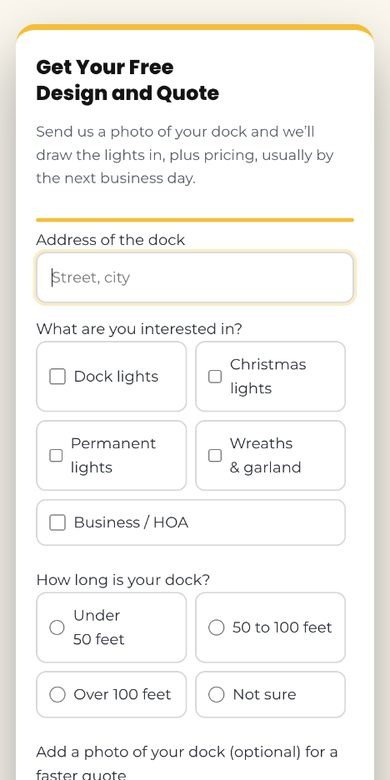
Here is the path a homeowner in Gulf Breeze takes, one screen at a time.
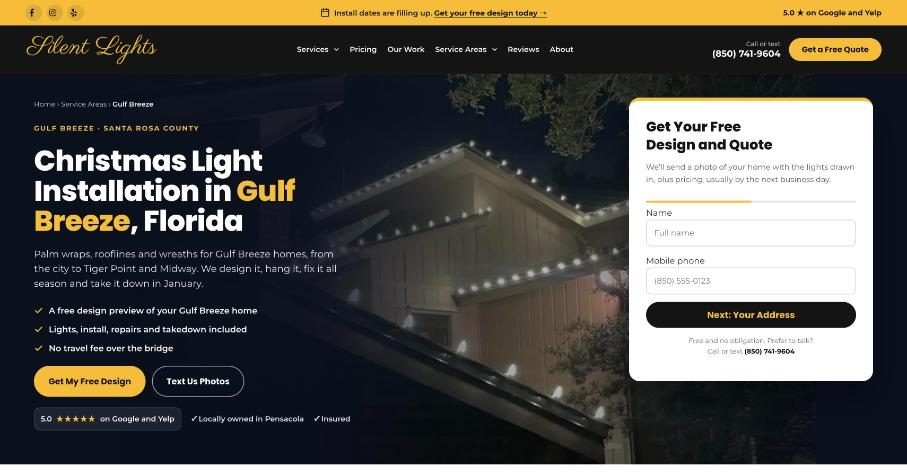
A homeowner searches for Christmas light installation in Gulf Breeze. The Gulf Breeze page is written for that search, with the town in its title and headline.
The headline names their town, the first lines mention nearby areas like Tiger Point and Midway, and the quote form is already on the screen.
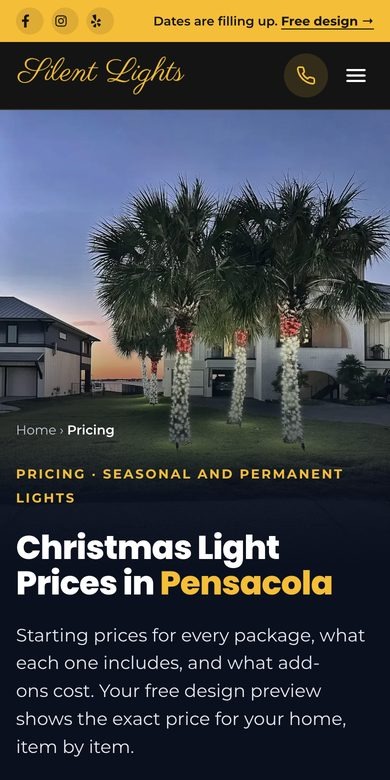
Starting prices and what each package includes are one tap away, so they know it fits their budget before they ask.
Name and phone first, then a few questions about the house and an optional photo. The request goes straight to Shawn’s business email, tagged with the page it came from.
The old site gave Google five pages and no towns. I built a page for each of the 12 towns Shawn serves, plus pages for each service and three guides that answer the questions people ask before they book.
Many local sites copy one town page and swap the name. Google treats those pages as duplicates and shows few of them. Each of Shawn’s town pages has its own local details, so each one has a real reason to show up.
From my October 6 audit, using Semrush estimates and Google, compared with the two strongest local Christmas light specialists:
| Before the rebuild | Silent Lights | Pensacola Christmas Lights | First City Lights |
|---|---|---|---|
| Google reviews | 1 | 36 | 14 |
| Searches it ranked for | 2 | 22 | 95 |
| Monthly visits from Google | 0 | 144 | 46 |
| Google for “christmas light installation pensacola” | Page 3, not on the map | Top 3 on the map | Top 3 on the map |
| What | How it’s set up |
|---|---|
| Service pages | Seasonal installation, permanent lights, commercial lights and dock lights, each with its own photos and starting price |
| Town pages | 12 towns from Pensacola to Baldwin County, Alabama, each with local notes, not one page copied 12 times |
| Guides | Cost, permanent vs. seasonal and palm tree lights: the questions people ask before they book |
| Titles and descriptions | Written for each page, like “Christmas Lights Installed in Pensacola, FL” |
Shawn already had a look customers knew: a gold script logo, a warm yellow and bold headlines. I kept all of it and changed what wasn’t working:
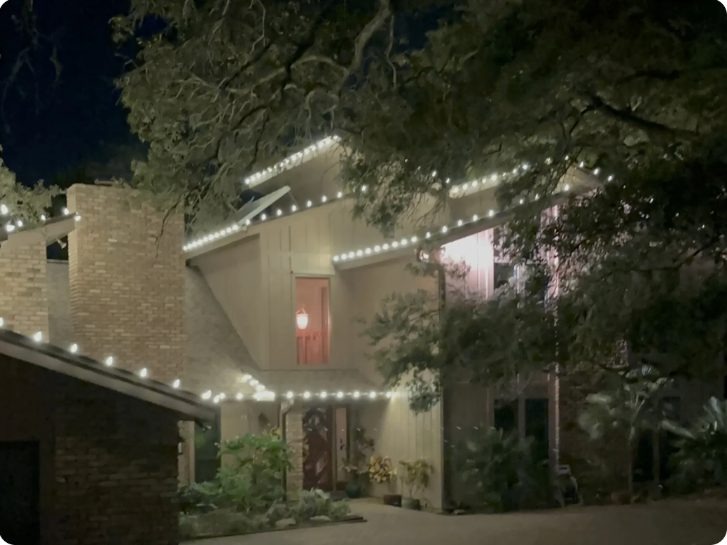

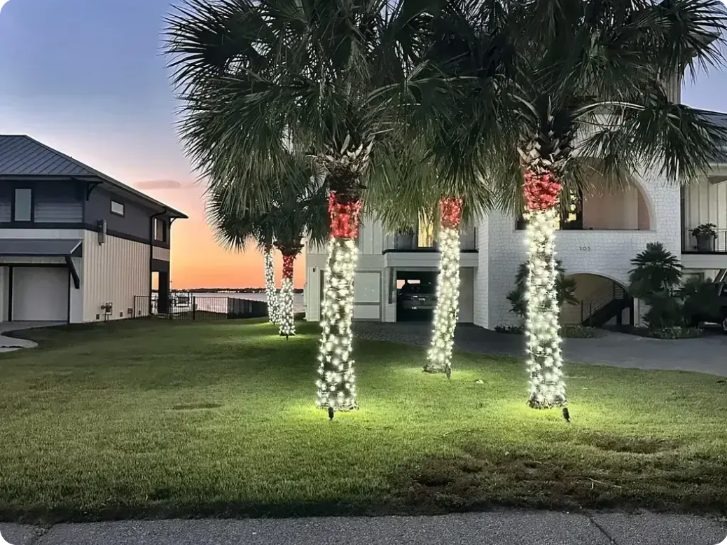
Shawn started Silent Lights in 2024 and lit 19 homes and businesses in his first season. Most of his bookings come in late October and early November, so I set October 31 as a hard launch date. The line below is drawn to scale.
Shawn came to me about his website. I audited it across eight areas, from booking and reviews to Google rankings and what AI tools said about him, and sent a home page mockup with it.
A 15-minute call set the plan: move to WordPress, keep the old site live until launch, and keep every account in Shawn’s name. He gave me access to his accounts without sharing a password.
Shawn wasn’t going to write the pages, so I wrote all of them. I studied 25 local competitors, turned every fact only he knew into a short question, and sent a 17-page preview with every gap marked.
Shawn and Britany reviewed the real site on a temporary address. I made their changes, then tested the whole site, page by page, before it went live. Everything I checked is listed in the next section.
The site went live at silentlights850.com. Quote requests go to his business email, a test request arrived complete with a house photo, and his after-launch tasks sit on the same punch list he used during the build.
Access without sharing a password
Business Profile, People and access
Shown on the Pricing page and home page
The biggest thing that will move you up on Google
Added to the site and the Google profile
The work customers don’t see: the Google tools, the setup for AI search and a full test of the site before it went live.
His Google Business Profile also got new categories, a full description, hours that match the site and replies to his reviews.
His business details and common questions are built into his pages, so AI tools describe him correctly.
Search Console and Google Analytics were connected and checked before launch, so data comes in from day one.
Each of these would have caused trouble after launch if it had been missed.
Three things from this project that work for any local service business.
Most people want a rough price before they reach out. A starting price answers that, and the first call begins with a real budget instead of a guess.
Hours, services and prices should read the same on the website and the Google profile. When they don’t, customers lose trust and so does Google.
Pick the launch date from when customers buy, not from when the build is done. Google needs time to find new pages before the calls start.
I built this site alone, but most of my work is leading website projects with designers, developers, writers and SEO specialists. Having done each of those jobs makes me better at managing the people who do them.
I know how long research, page writing and a WordPress build actually take, so the schedules I set are realistic.
The audit came before the proposal, so every page on the site traces back to a problem it was built to fix.
The punch list, the marked preview and the review steps work the same with a team of fifteen.
Owners leave with quote requests going to their email, a matching Google profile and a short list of what to do next.
This case study covers the build. The next update will cover results, using these numbers.
Free design requests, which pages they came from and how many became installs.
Taps on the call and text buttons, and which pages lead to them.
How often his pages show up on Google, and where they rank in each town.
Views, calls and website clicks from his Google Business Profile.
New reviews from this season’s customers, with a goal of 15 by January 15.
Whether ChatGPT and Google’s AI Mode get his details right and link to him.
Real lessons from managing websites that have to make money: conversion, SEO, UX, and the project decisions behind them. No spam, and you can unsubscribe anytime.
Whether you’re building something new or keeping a site running, I’m currently taking on new work. Tell me about it, and I’ll tell you exactly how I’d manage it.