Every Page Leads to the Shop or a Custom Request
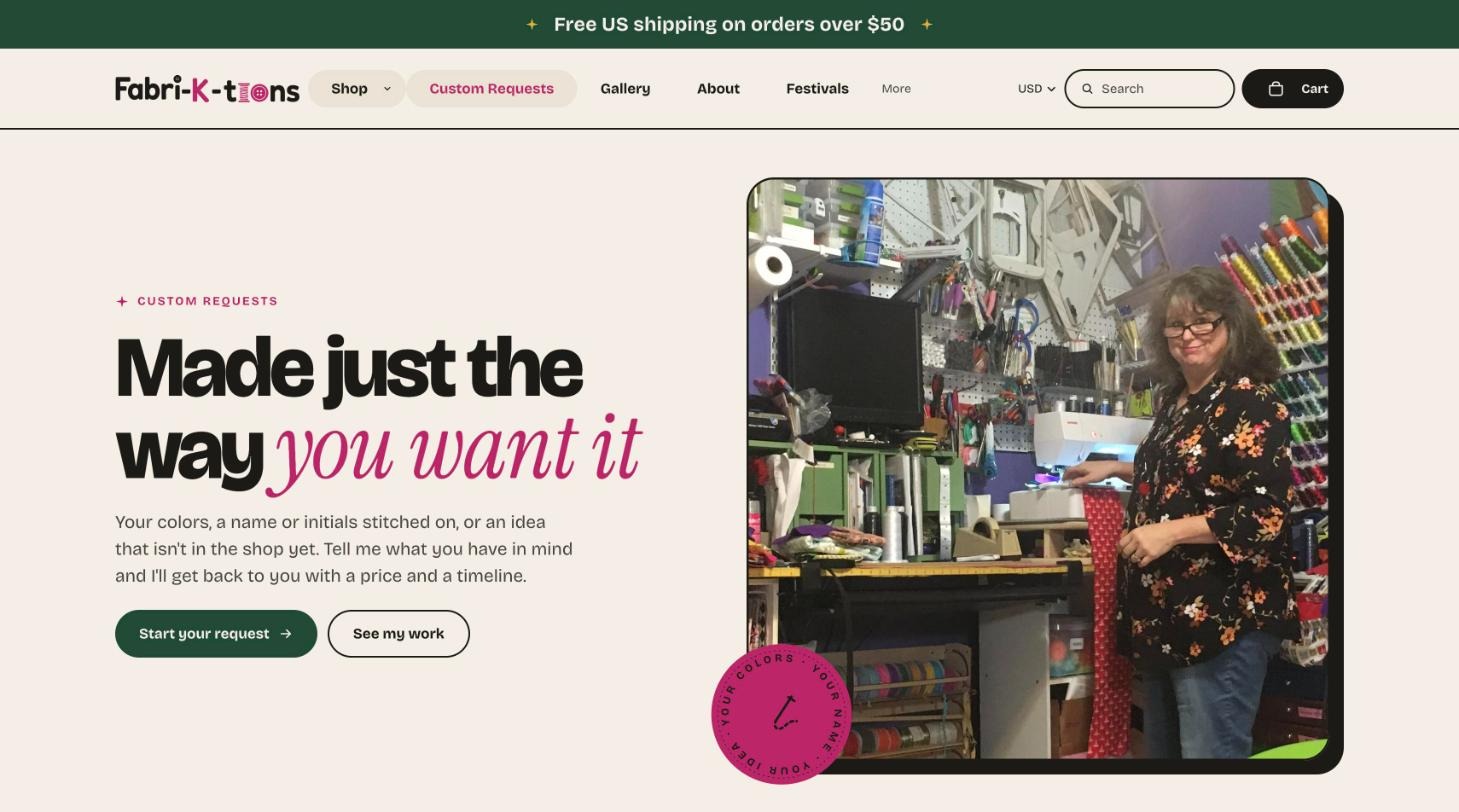
Custom work is a big part of Kathy’s business, so it got its own spot in the main menu, its own page and a working request form. Pages end with a path to shop or a path to ask for something new.
Kathy Creech runs Fabri-K-Tions, a one-woman sewing studio in Louisville, Kentucky. She sold at festivals through Square and had a Shopify account she couldn’t get off the ground. I planned, designed, built and launched her new store. The contract said January 1. It went live October 21, in time for the holidays.
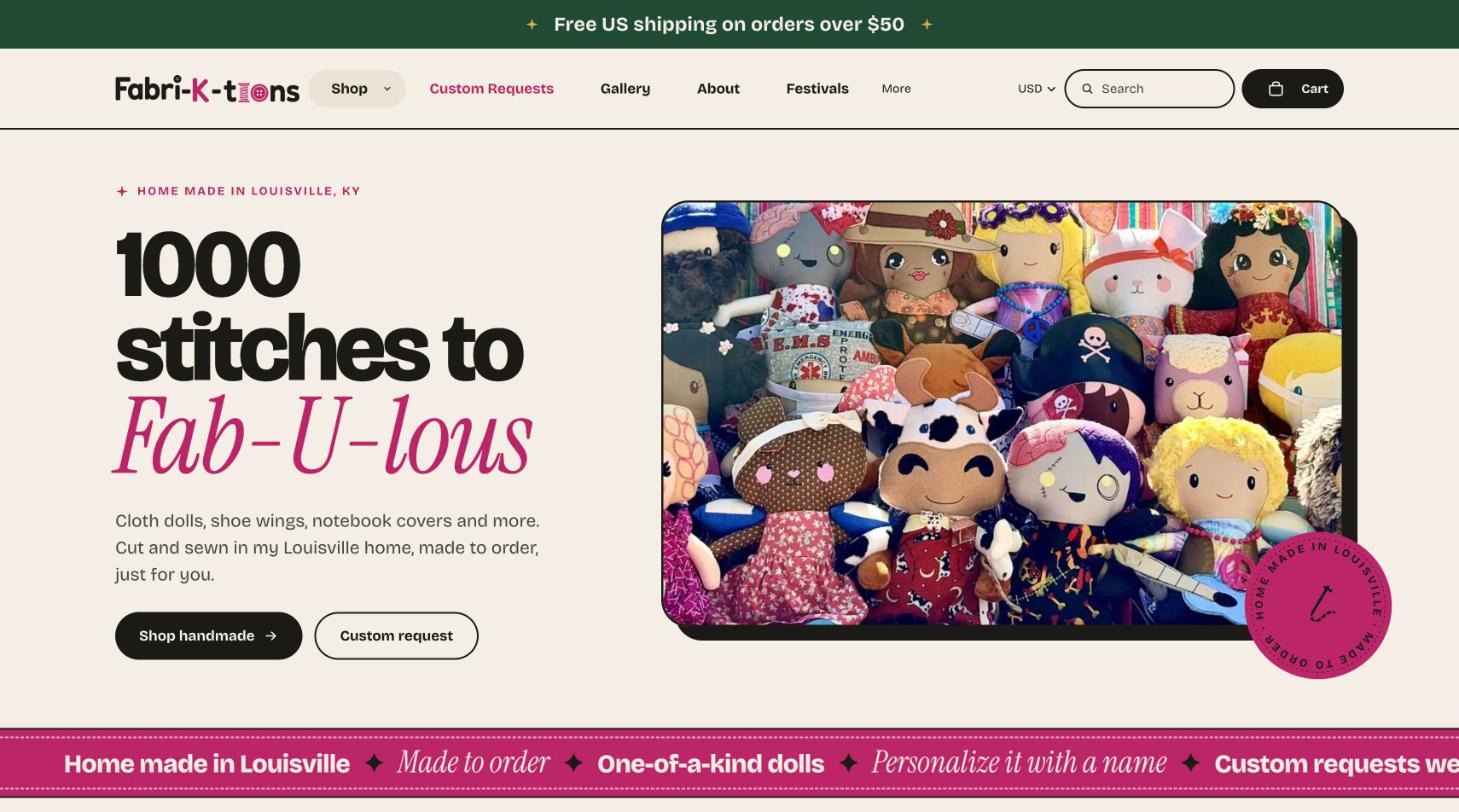
A complete Shopify store, designed around her brand and ready to take orders on launch day. Every product, page and policy was in place, the store was set up to be found in search, and my support continued after it went live.
Three full directions to choose from. Her pick became the look for every page, built on her colors, tagline and photos.
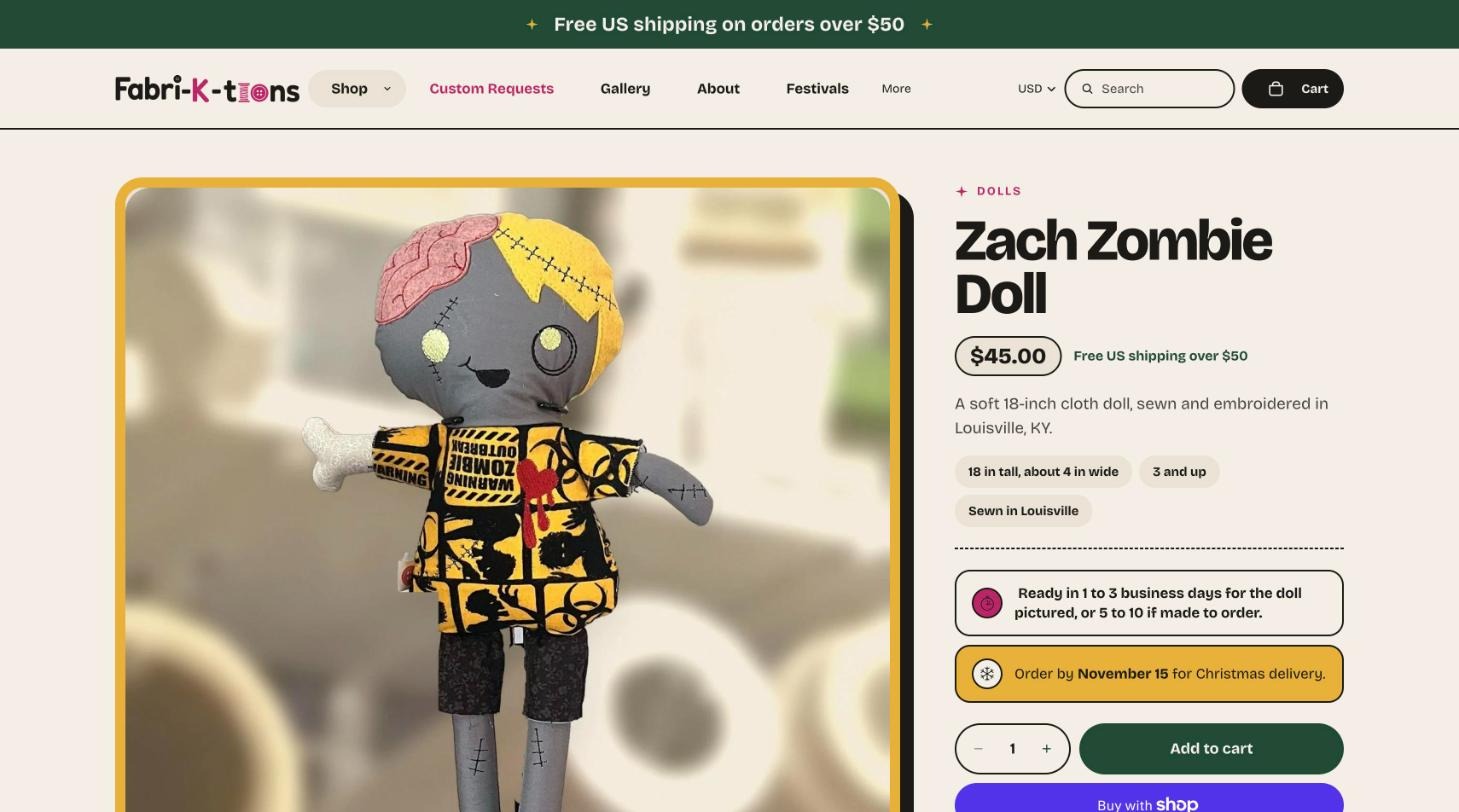
One page per piece, with photos, a description in her voice, size, age guidance, ready time and personalization.
Dolls, notebooks, bags, shoe wings and more, with filters for category, availability, price and personalization.
Live October 21 against a January 1 deadline, with everything in the original scope delivered at launch.
Domain moved to Shopify, search and shopper behavior tracked, and her store costs kept in check as it grows.
Keyword URLs, written titles and descriptions on key pages, plus Product and FAQ data that search engines read.
The proposal went out September 16 with a January 1 launch date, which left room for slow approvals or a late photo shoot. The store opened 72 days early. The line below is drawn to scale.
Kathy makes cloth dolls, bags, notebook covers, shoe wings, door knob hangers and key fobs in her Louisville sewing room. Most of her sales happen at festivals and craft fairs across Kentucky and Indiana.
Online, she had a basic Square store with 49 listings, most without a photo. Pieces were grouped into catch-all listings like “DOLLS 18” and “KEY FOBS,” so no single design had its own page for a shopper, or Google, to find. Her Shopify account had stalled with payouts paused and default settings everywhere.
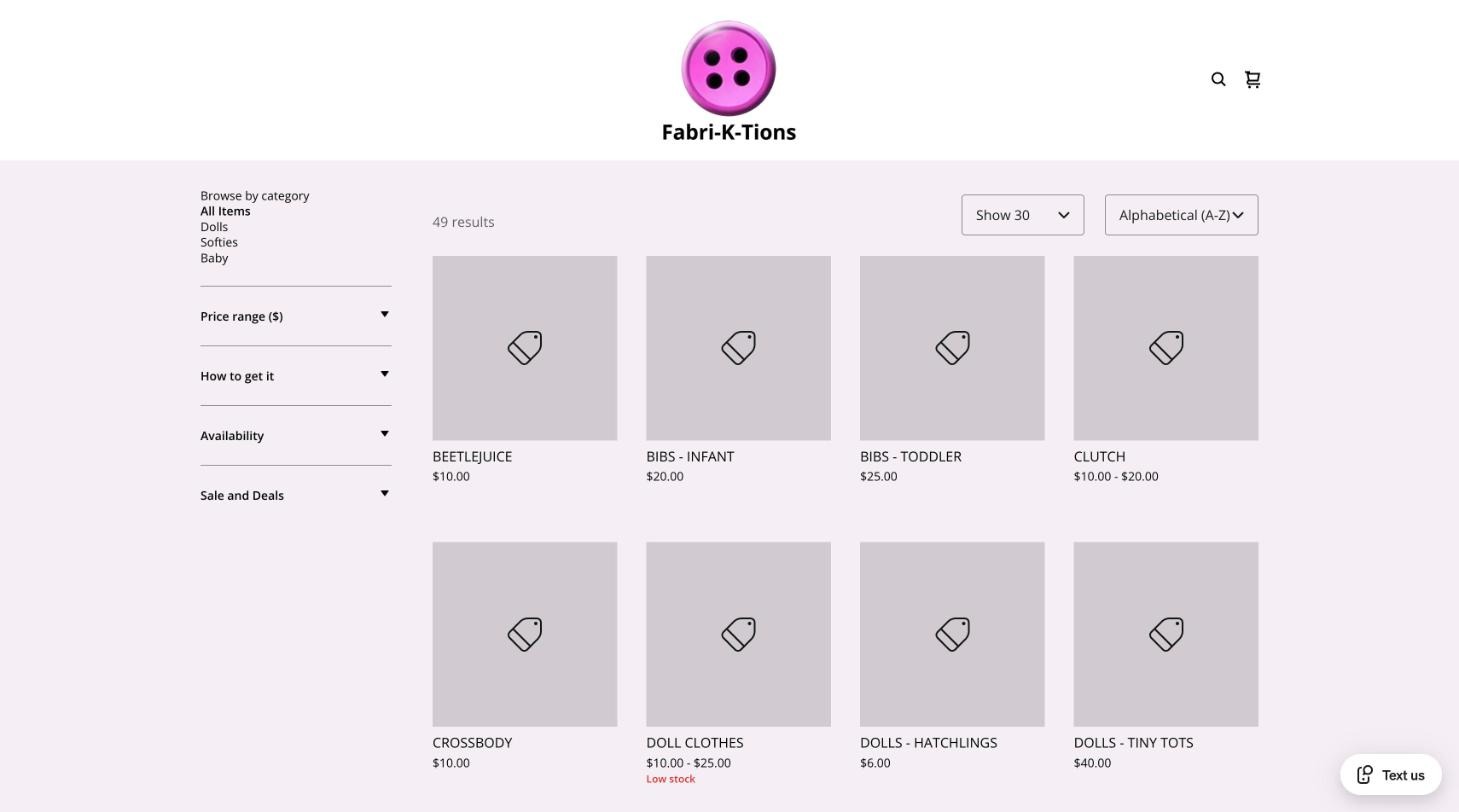
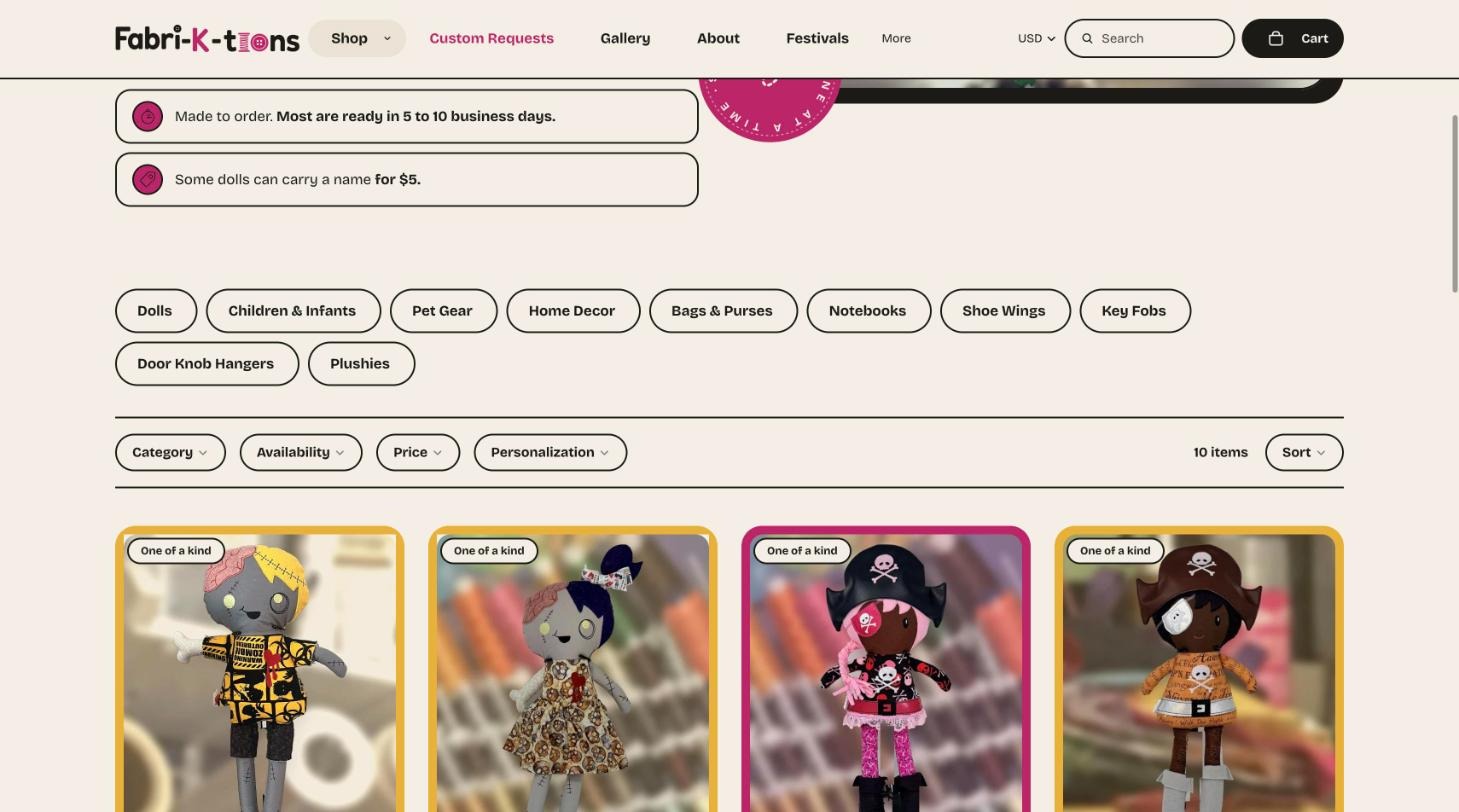
Her goal was to sell more online, with a shop that looked like her work and gave people who met her at a booth a place to buy again. Mine was to get it live before the holiday shopping season, when handmade gifts sell.
The proposal kept the first build small on purpose: launch with 50 priority products rather than her whole inventory, so the store could open sooner and grow from there. Kathy approved it the same evening.
On kickoff morning I sent one list of everything I would need for the whole project, grouped so she could work through it in any order:
| Group | What I asked for |
|---|---|
| Shared files | One Google Drive folder for every file and photo |
| Access | Shopify staff access, Square access to export products, the domain login, Facebook and Instagram admin |
| Owner-only setup | Shopify Payments, tax ID and bank account, ship-from address, and whether Square stays for in-person sales |
| Brand | Logo files, colors and fonts, and two or three sites she likes the look of |
| Products | 50 priority products with names, prices, variations, materials and stock, plus a photo plan and file naming rule |
| Policies | Shipping rates and package sizes, returns and custom order terms, made-to-order turnaround |
| Content | Her story, a photo of her in the studio, ten common customer questions and the custom order form fields |
I also told her she didn’t need to send everything at once, and that we would work through it as we went. She started on the access items that day.
Before designing anything, I went through every settings page in her Shopify account. Three problems would have kept the store from opening no matter how good the design was:
Seven smaller items went on the same list, from her business name reading “My Store - entity” to two-step login and placeholder shipping rates. I split the list into what only she could do as the owner and what she needed to decide.
An audit before design costs very little. Finding paused payouts on launch day costs a lot. Most owners don’t know these settings exist, so someone has to check them.
Kathy runs her shop part-time, and every hour on the website was an hour away from her sewing machine. The biggest risk to the schedule was asking her for things in ways that were hard to answer, so I built every request around her time.
Instead of asking her to “send product info,” I built a Google Sheet based on what Shopify needs. A Still Needed column filled itself in and turned green when a row was complete. A Collections tab set materials, size, care and lead time once for every product in a group. Product IDs tied each row to its photos.
Swipe sideways to see more columns.
| Product ID | Launch? | Product Name | Still Needed | Collection | Size | Age | Price ($) | Item Type | Lead Time | Packed Wt (oz) |
|---|---|---|---|---|---|---|---|---|---|---|
| Already filled in. Use it to name your photos. | Yes for launch day | What customers see. Be specific. | Fills in by itself | Pick from the list | Grey text comes from the Collections tab | Numbers only | One of a kind, made to order or stocked | From Collections tab | A kitchen scale is fine | |
| FKT-0001 | Yes | Madeline Mushroom Doll | Ready | Dolls | 18 in tall, about 4 in wide | 3 and up | $45.00 | One of a kind | 1 to 3 days, or 5 to 10 | 12.0 |
| FKT-0003 | Yes | Mikaela Medic Doll | Ready | Dolls | 18 in tall, about 6 in wide | 3 and up | $45.00 | One of a kind | 1 to 3 days, or 5 to 10 | 12.0 |
| FKT-0051 | Yes | Baby Lovey Blanket Set - Pup | Size | Children & Infants | Infant and up | $40.00 | Made to order | 5 to 10 business days | 32.0 | |
| FKT-0061 | Yes | Pet Bandanna | Short description, Size, Age | Pet Gear | $15.00 | Made to order | 5 to 10 business days | 8.0 | ||
Her About story, collection descriptions, store policies, FAQ and three starter blog posts went into Google Docs she could edit. I wrote each one first in her voice and marked every guess in yellow, so she was editing instead of writing from scratch. For product descriptions, I sent three samples before writing the rest. She approved them within fifteen minutes.
Once the pages were built, I moved every open question into one online punch list and walked her through it on a short call, with a Loom recording she could rewatch. Each item had an owner, a status and an answer box for text or photos, and replies emailed the other person automatically.
So international shipping can go live
42 new rows added: FKT-0051 to FKT-0092
“20 each” or “no count”
FAQ structured data
Search Console and analytics
Before drawing anything, I studied other handmade and craft shops: how they set up their pages and navigation, how they presented their products, which keywords they were going after and which shops showed up when people asked AI tools for recommendations.
The menu and collections follow ecommerce structure that works across many kinds of stores. Kathy chose which products to feature at launch, so the home page leads with what she most wanted to sell.
The home page wireframe came first, in desktop and phone versions with no colors or styling, so Kathy could judge the structure on its own. I sent a five-minute Loom on how to review it, plus a short list of questions to ask herself. She approved it with no changes.
For the look, I designed the full home page three ways, each with the same sections so she could compare them side by side. Each direction started from something in her world: her colors, the muslin her dolls are made of, the energy of her booth.
White and ivory with her pink and plum, a serif display face and a pink “running stitch” line drawn from her tagline. The quietest of the three, with a classic boutique feel.
Earthy tones taken from the muslin her dolls are made of, with paper hang tags, pinking-shear edges and a custom section styled like a pattern piece.
Graphic and confident, like an indie maker brand or a printed zine. Big type, color-block sections, rotating stickers and a pink ticker band in place of an icon strip.
Kathy picked Bold Maker on October 9. She preferred option 2’s footer, so I combined them. Back at the first design check-in, she had mentioned that her tagline had always been “1000 stitches to Fab-U-lous,” because embroidery is priced by the thousand stitches. It became the home page headline.
Handmade shoppers have their own questions: how long a piece takes, whether it can be personalized and whether it will look like the photo. Many meet the maker in person first, at a booth. The store was built to answer those questions and turn interest into an order.
Custom work is a big part of Kathy’s business, so it got its own spot in the main menu, its own page and a working request form. Pages end with a path to shop or a path to ask for something new.
Every product shows a status (one of a kind, made to order or ready to ship) and a ready time. Product pages add size, age guidance and a Christmas order-by date, and the FAQ covers shipping, returns and care.
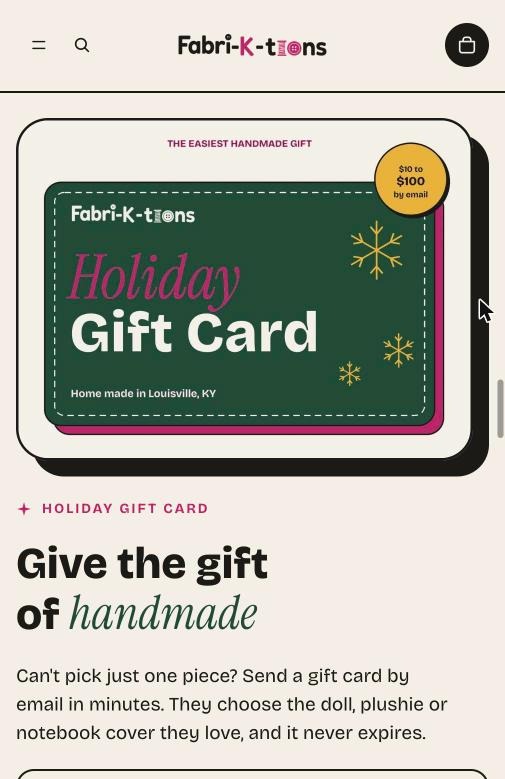
Many pieces can carry a name for $5, offered on the product page and filterable in every collection. A gift card from $10 to $100, sent by email on a chosen date, covers shoppers who know the person but not the piece.
A festivals page lists her full schedule, pins the next show at the top and links back to the shop. Her photo and story run through the whole site, because people buy handmade from a person they know.
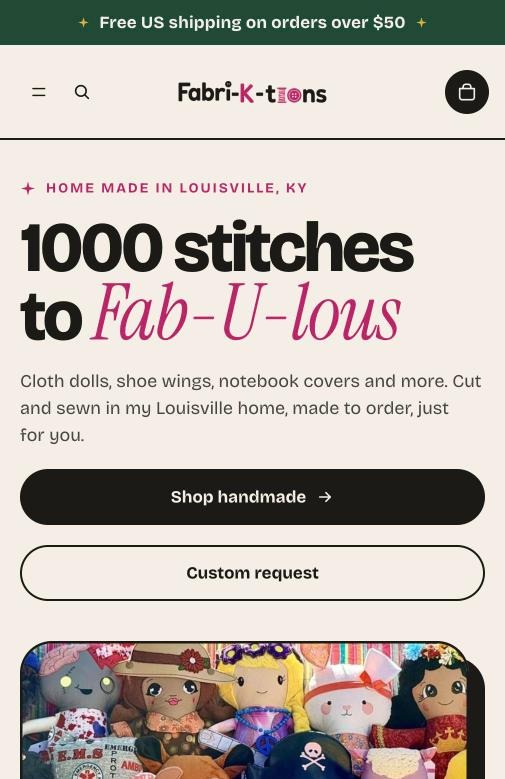
Many shoppers will find her on a phone, often standing at her booth. The wireframe and design were done at phone width as well as desktop: the headline and both buttons fit on the first screen, and product cards run two across.
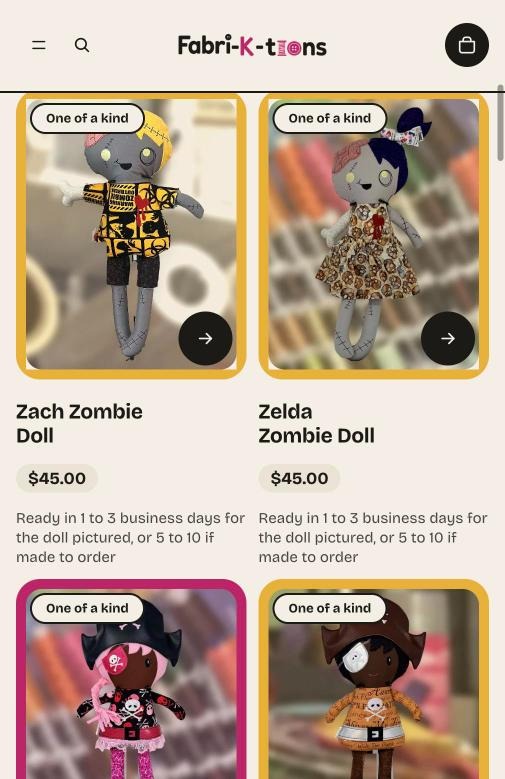
The old Square store gave Google little to work with: grouped listings, few photos and thin descriptions. The new store launched with 113 published pages, each with its own URL.
| What | How it’s set up |
|---|---|
| One page per piece | Every design has its own page, photo, description and price, replacing the old catch-all listings |
| Collection URLs | Named for what people search, like /crafted-cloth-dolls and /personalized-baby-gifts |
| Titles and descriptions | Written for search on key pages, like “Zach Zombie Doll | Handmade 18-Inch Cloth Doll,” plus a short Google summary for each collection |
| Structured data | Product markup on product pages and FAQ markup on the FAQ page, so Google and AI tools can read prices, availability and answers directly |
| Local signals | Louisville, KY in titles, descriptions and copy, since her customers find her at local events |
| Starter blog | Three posts at launch, including one on why embroidery is priced by the stitch |
| Measurement | Google Search Console verified October 14, before launch, and Microsoft Clarity installed to see how shoppers use the pages |
Before launch, I tested the store the way shoppers and Kathy would use it:
The shop went live at fabri-k-tions.com on October 21 with orders, payments and shipping working. Launch day is the first day an owner runs the store, so the handoff was built for Kathy to manage it herself:
The schedule never slipped, but the build had its share of problems. Each one would have caused trouble after launch if it had been missed.
I was confident from the start that we would beat January 1. Kathy sells handmade gifts, so I planned for the shop to open before the holiday season.
The main reason it finished early was Kathy. She was responsive, organized and quick to send what I needed. She approved the proposal the night she got it and cleared her account blockers within hours.
My part was making that easy to keep doing. Every request came with a reason, a recommendation and a clear place to put the answer.
I built this store alone, but most of my work is leading website projects with designers, developers, writers and SEO specialists. Having done each of those jobs makes me better at managing the people who do them.
I know how long product entry, page builds and content actually take, so estimates and timelines hold up instead of slipping.
I can review a designer’s layout, a developer’s build or a writer’s draft with an eye for what will break, convert or rank.
The intake sheet, punch list, pre-design audit and sample-first approvals work the same with a team of fifteen.
I turn what an owner needs into tasks a team can act on, and the team’s questions into quick owner decisions.
This case study covers the build. The next update will cover results, using these numbers.
Orders that came through the website and what they added up to, compared with her festival sales.
The share of visits that end in an order, and where shoppers drop out between product page and checkout.
How often shoppers add a name for $5, and how many gift cards sell before Christmas.
How many requests the form brings in, and how many turn into paid orders.
Pages indexed, impressions and the local searches people use to find her.
Recordings and heatmaps that show where people scroll, click and hesitate on phones.
Real lessons from managing websites that have to make money: conversion, SEO, UX, and the project decisions behind them. No spam, and you can unsubscribe anytime.
Whether you’re building something new or keeping a site running, I’m currently taking on new work. Tell me about it, and I’ll tell you exactly how I’d manage it.